PI Vision Display Export Guide
Overview
The PI Vision Display Export feature provides a comprehensive way to export all tags and AF element attributes that are referenced within PI Vision displays on a specific PI Vision server. This export functionality generates a detailed CSV report that identifies all data sources used across PI Vision displays, enabling organizations to understand data dependencies and plan system changes effectively.
Why Use PI Vision Display Export
Business Scenarios
System Migrations and Upgrades
During PI Vision server migrations or upgrades, organizations need to understand all data dependencies to ensure continuity. The PI Vision export helps identify:
- All data sources referenced across displays
- Critical displays that depend on specific data servers
- Integration points that must remain available during migration
- Validation requirements for post-migration testing
Troubleshooting and Performance Analysis
When PI Vision displays experience performance issues or data problems, the export enables rapid analysis:
- Identify which displays are affected by specific data source outages
- Understand the scope of impact when PI Data Archive or AF servers have issues
- Locate displays using problematic or stale data sources
- Plan targeted fixes for specific data quality issues
Data Source Consolidation and Cleanup
Organizations optimizing their PI System architecture can use the export to:
- Identify unused or redundant data sources
- Understand which displays will be affected by data source changes
- Plan consolidation strategies for multiple PI servers
- Validate data lineage before decommissioning legacy systems
Security and Access Management
For security audits and access control management:
- Document which displays access sensitive data sources
- Identify displays that may be affected by security policy changes
- Understand data exposure across different user groups
- Plan security updates with minimal business disruption
Display Lifecycle Management
Managing large PI Vision environments requires understanding display dependencies:
- Identify displays that can be safely archived or removed
- Understand which displays are critical to operations
- Plan display updates and maintenance windows
- Validate display functionality after system changes
What Will Be Impacted Analysis
The PI Vision export provides comprehensive impact analysis by identifying:
Display-Level Dependencies
- Direct Data References: Tags and element attributes directly embedded in displays
- Calculation Dependencies: Values derived from referenced data sources
- Trend Dependencies: Historical data requirements for trending displays
- Symbol Dependencies: Custom symbols that reference specific data points
Server-Level Impact Assessment
- PI Data Archive Impact: Which displays will be affected by PI Server maintenance
- PI AF Server Impact: Displays dependent on AF calculations and element attributes
- Network Dependencies: Displays requiring specific network connections
- Authentication Dependencies: Displays requiring specific security contexts
User Experience Impact
- Critical Operational Displays: Real-time monitoring screens
- Management Dashboards: Executive and reporting displays
- Historical Analysis Tools: Trending and analysis displays
- Maintenance Screens: Equipment status and diagnostic displays
How to Export
- Navigate to Settings: From the left navigation menu, click on Settings
- Access Data Export: In the Settings page, locate and click on Data Export
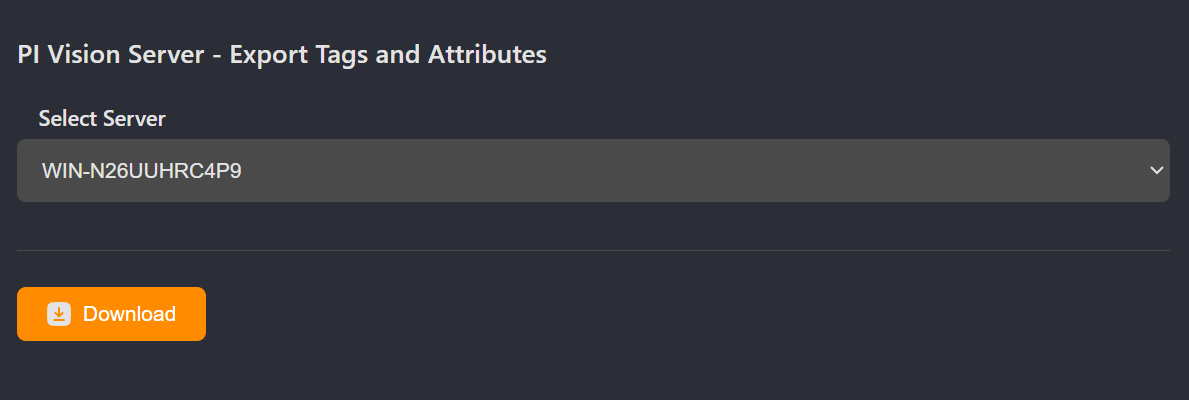
- Select PI Vision Server: Find the PI Vision Server - Export Tags and Attributes section
- Configure Export Parameters:
- Select the PI Vision Server to export
- Execute Export: Click the export button to download the report
Export Structure and Information
The CSV export includes comprehensive information about PI Vision dependencies:
PI Vision Server Information
- PI Vision Server: Name of the PI Vision server hosting the displays
- Display Name: Individual display name within the server
- Osprey URL: Direct link to the display details in Osprey
Data Source Information
- Data Source Type: Type of referenced asset (tag, elementattribute, etc.)
- Data Source Name: Name of the referenced data source
- Data Source UniqueID: Complete unique identifier for the data source
- Failed Checks: Any data quality or connectivity issues detected
Use Cases and Workflows
Pre-Migration Planning
- Export all displays from the PI Vision server being migrated
- Group data sources by source server (PI Data Archive, AF Server)
- Identify displays requiring specific server connections
- Plan migration phases based on display criticality
- Develop testing procedures for each dependent display
Troubleshooting Data Issues
- Export displays from affected PI Vision server
- Filter results by problematic data source or server
- Identify all displays potentially impacted by the issue
- Use Osprey URLs to review individual display configurations
- Communicate scope of impact to affected users
Performance Optimization
- Export displays to identify high-volume data consumers
- Analyze data source distribution across servers
- Identify displays with excessive data requests
- Plan optimization strategies for resource-intensive displays
- Monitor improvements after optimization changes
Security Audit and Compliance
- Export all displays accessing sensitive data sources
- Review data source access patterns across displays
- Identify displays requiring enhanced security controls
- Document data access for compliance reporting
- Plan security updates with minimal operational impact
Display Modernization
- Export legacy PI Vision displays
- Analyze data dependencies for modernization scope
- Identify displays suitable for migration to newer platforms
- Plan phased modernization based on complexity
- Validate data connectivity in modernized displays
Best Practices
Export Planning
- Schedule exports during low-usage periods to minimize performance impact
- Export from production PI Vision servers during maintenance windows
- Consider network bandwidth when exporting large display inventories
- Coordinate with PI Vision administrators for optimal timing
Data Analysis Process
- Sort results by data source to understand server dependencies
- Group displays by business function for impact assessment
- Use failed checks column to identify immediate issues requiring attention
- Cross-reference with display usage statistics for prioritization
Change Management
- Use export results to communicate scope of planned changes
- Provide stakeholders with Osprey URLs for detailed display review
- Create impact matrices showing displays affected by each change
- Plan rollback procedures based on display criticality
Documentation and Archival
- Archive export results before major system changes
- Document decisions made based on export analysis
- Share results with display owners and business stakeholders
- Update display documentation based on export findings
Ongoing Maintenance
- Schedule regular exports to monitor display evolution
- Track changes in data source dependencies over time
- Identify trends in display complexity and data usage
- Plan capacity and performance improvements proactively
Integration with Other Export Features
Combined Analysis Workflows
- With Point Source Export: Understand complete data flow from sources through displays
- With AF Database Export: Analyze relationships between AF calculations and display usage
- With System Documentation: Maintain comprehensive data lineage documentation
Comprehensive Impact Assessment
- Export PI Vision displays to understand presentation layer impact
- Export point sources to understand data collection impact
- Export AF databases to understand calculation layer impact
- Combine results for complete system change analysis
Technical Considerations
Export Scope and Limitations
- Export includes only displays currently accessible on the specified server
- Archived or offline displays are not included in the export
- Custom symbols and advanced display features may reference additional data sources
- Historical display configurations are not captured in the export
Performance and Resource Usage
- Large PI Vision servers may require extended export time
- Network connectivity to data sources affects export completeness
- Failed checks indicate potential connectivity or permission issues
- Export during off-peak hours for optimal system performance