Workflows
Overview
Workflows in Tycho Data Osprey enable automated response actions based on data quality issues, status changes, and triggered checks across your industrial data systems.
They allow your team to take immediate action when data problems arise by:
-
Sending notifications to Microsoft Teams, Slack, or Email
-
Creating tickets in systems like ServiceNow and Jira
-
Streamlining handoffs between data engineers, operations, and business users
With workflows, teams can reduce downtime, enforce accountability, and close the loop between issue detection and remediation, all without leaving Tycho Data Osprey.
Why Use Workflows?
Workflows help you:
-
Automate alerting and escalation when critical data issues are found
-
Route problems to the right team via integrated ticketing
-
Avoid missed issues by notifying across your organization's preferred channels
-
Customize workflows based on domain and and target
Workflows are designed to reduce manual monitoring and promote a culture of proactive data quality management.
Where to Find and Manage Workflows
You can access workflows in the Tycho Data web interface:
-
From the left-nav, click on Workflows
-
Here, you can:
-
View all existing workflows
-
Create new workflows for notification channels or ticketing systems
-
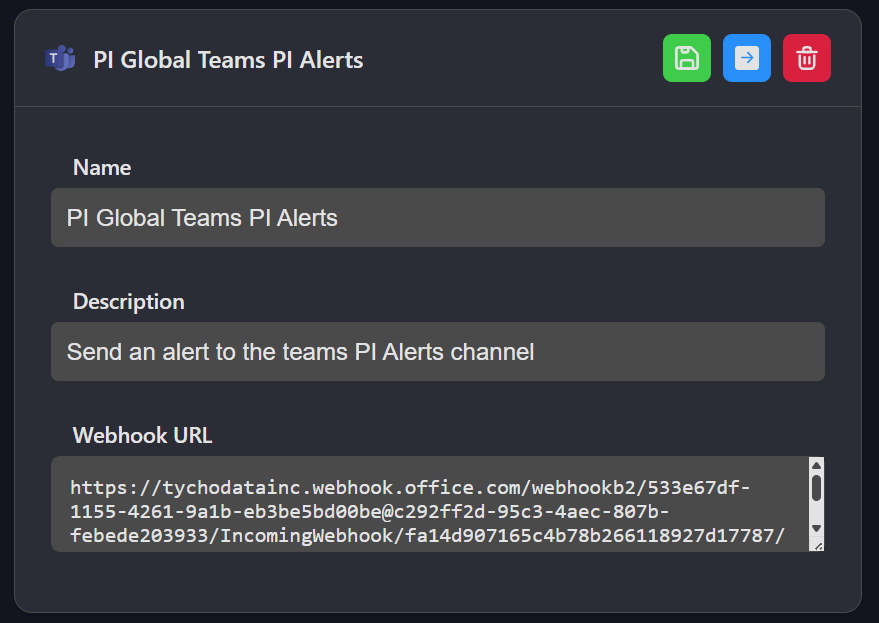
Each workflow consists of:
| Component | Description |
|---|---|
| Name | Name of workflow |
| Description | Description of workflow |
| Configuration | Configuration for workflow |
Supported Actions
Tycho Data currently supports the following automation targets:
| Action Type | Description |
|---|---|
| Microsoft Teams | Send a message to a configured Teams channel via webhook |
| Slack | Post an alert to a specific Slack channel |
| Send an email to selected users or distribution lists | |
| Jira | Create a new issue in Jira with asset, tag, and error context |
| ServiceNow | Open a ticket in ServiceNow with linked metadata from the triggered event |
Coming Up Next
Separate pages will walk through how to:
-
Configure notification channels (Slack, Teams, Email)
-
Set up integrations with Jira and ServiceNow