Viewing and Managing Lineage
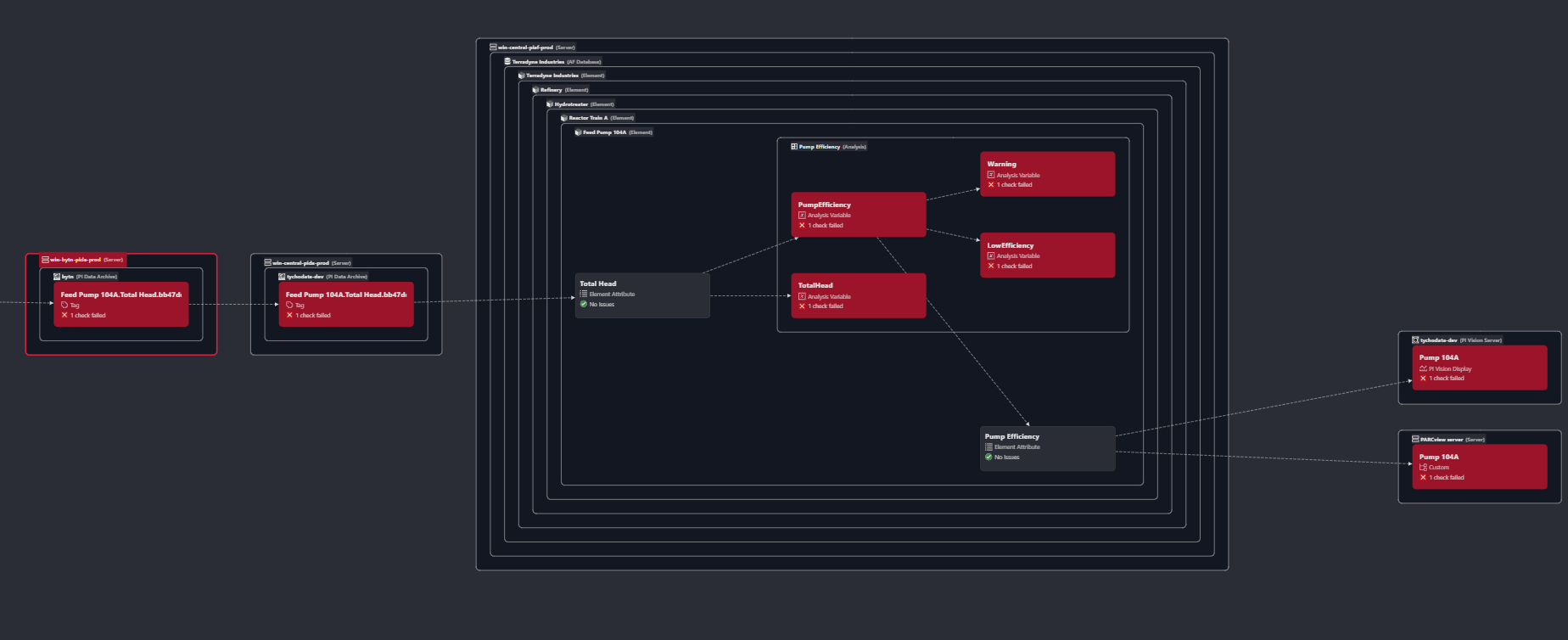
From any asset's page, you can view its lineage graph, a visual representation of how the asset connects to others.
You'll see:
-
Upstream assets - what this depends on
-
Downstream assets - what depends on this
-
The types of relationships (e.g., calculation, data reference, display usage)
Use the lineage view to:
-
Trace the origin of an issue
-
Identify critical paths in your data pipeline
-
Visualize asset dependencies across your plant
If your scanners return lineage metadata, Osprey will automatically maintain this graph. You can also manage lineage manually for custom systems.