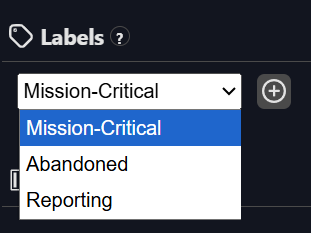
Assigning Labels
Organizing assets for filtering and reporting
Labels are flexible tags you can assign to assets to group them by any dimension relevant to your organization, think of them like folders or tags in a file system.
Examples:
-
Mission-Critical
-
High Cost Impact
-
Low Cost Impact
-
Needs Review
You can create and manage labels in the Labels section, and assign them to assets either:
-
One by one from the asset page
-
In bulk via API
Osprey propagates labels in two ways:
-
Descendent assets (such as all tags in a PI Data Archive or all assets under an AF Element in an AF Hierarchy) will inherit the label
-
Downstream assets (such as all displays that directly or indirectly reference (via an AF Attribute) a labelled tag)
You'll be able to filter dashboards, search results, and reports using labels.