Asset Search and Filtering
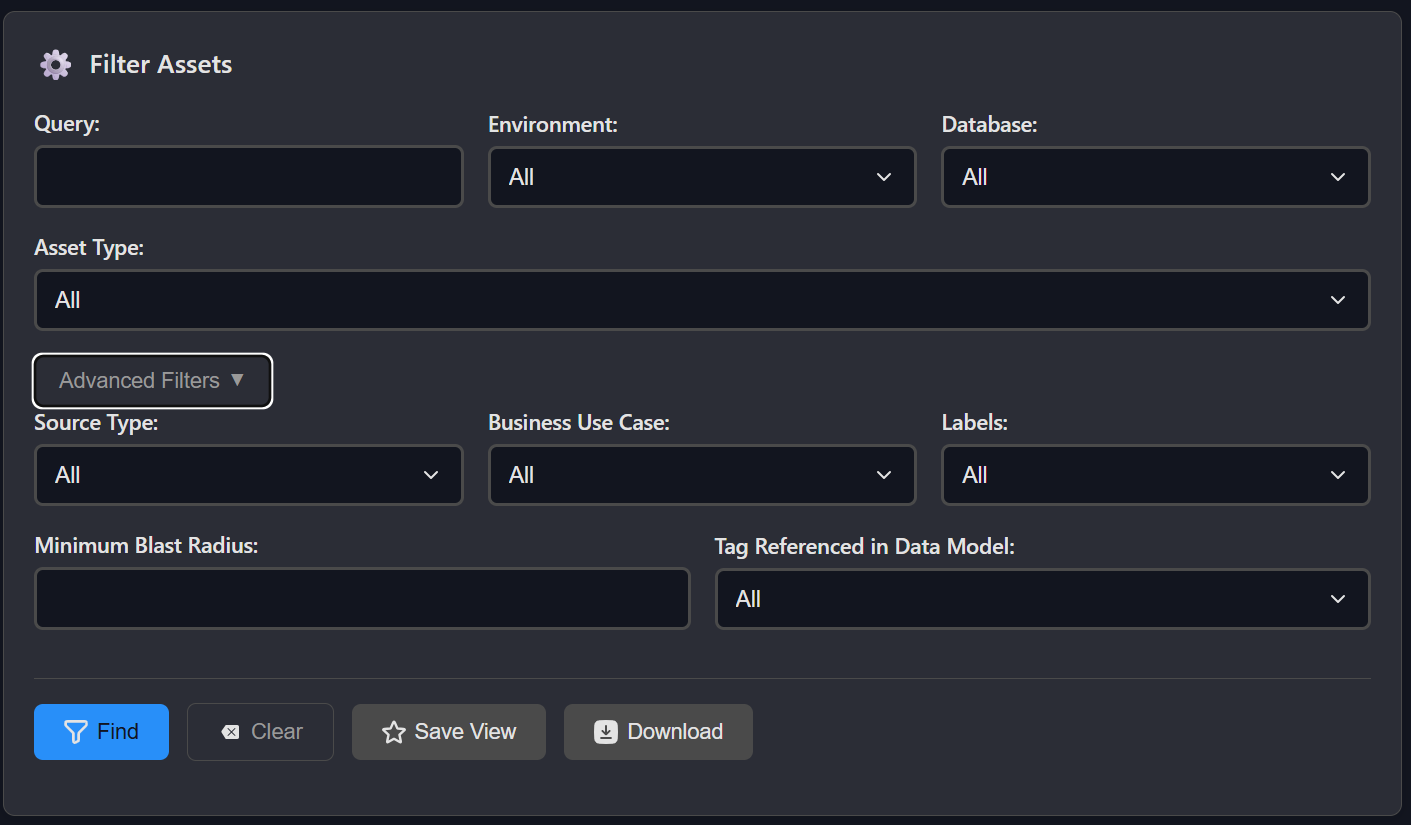
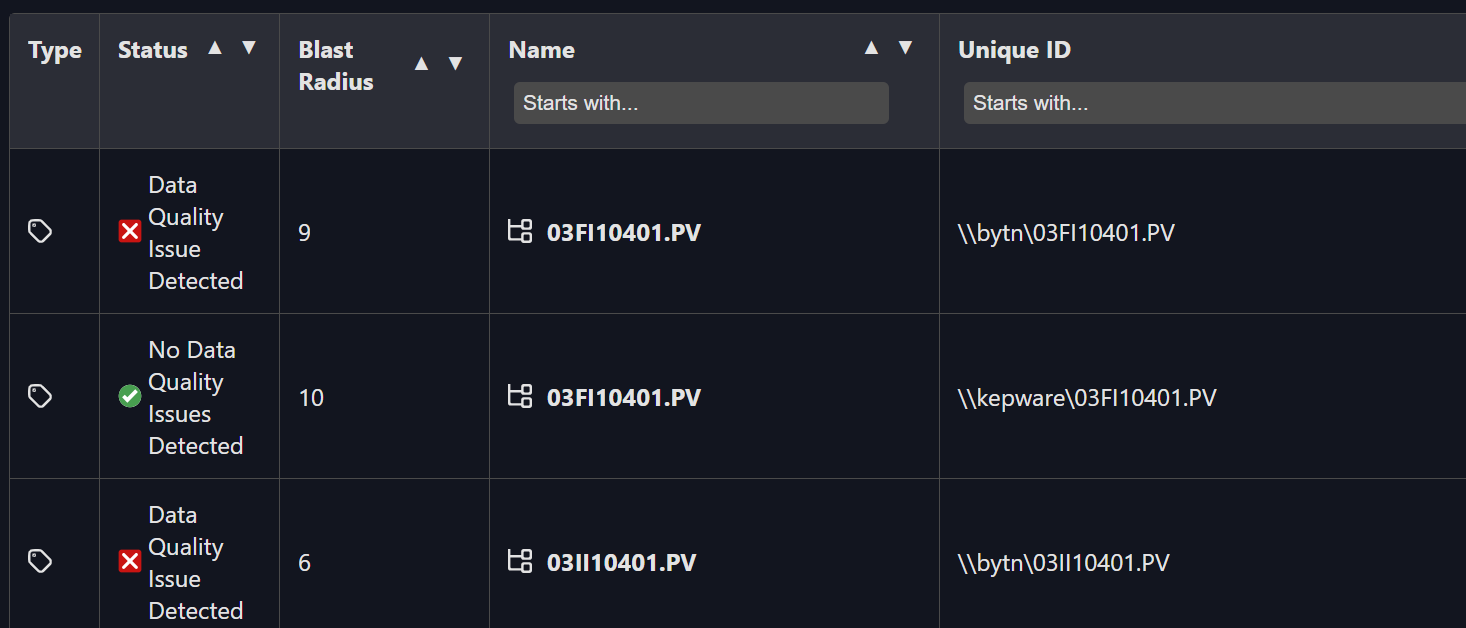
You can quickly locate assets using Osprey's Asset Search. From the search interface, you can:
-
Filter by:
-
Name
-
Description
-
Source Type
-
Environment (Typically Server)
-
Database (AF Database)
-
Asset Type
-
Business Use Cases
-
Labels
-
Blast Radius
-
Tags referenced in AF
-
View:
-
Current data quality status
-
Blast Radius
-
Open an asset to inspect its checks, issues, lineage, and more
Search results are always up to date with the latest scan and check results. This makes it easy to find what's broken, what's high-priority, or what a specific team owns.